Generate Etsy product images in bulk with the CSV tab
By Usama Saad · Updated May 24, 2026
Turn one frame mockup PSD plus a spreadsheet into a full Etsy listing photoshoot. Different artwork, different text, one click.
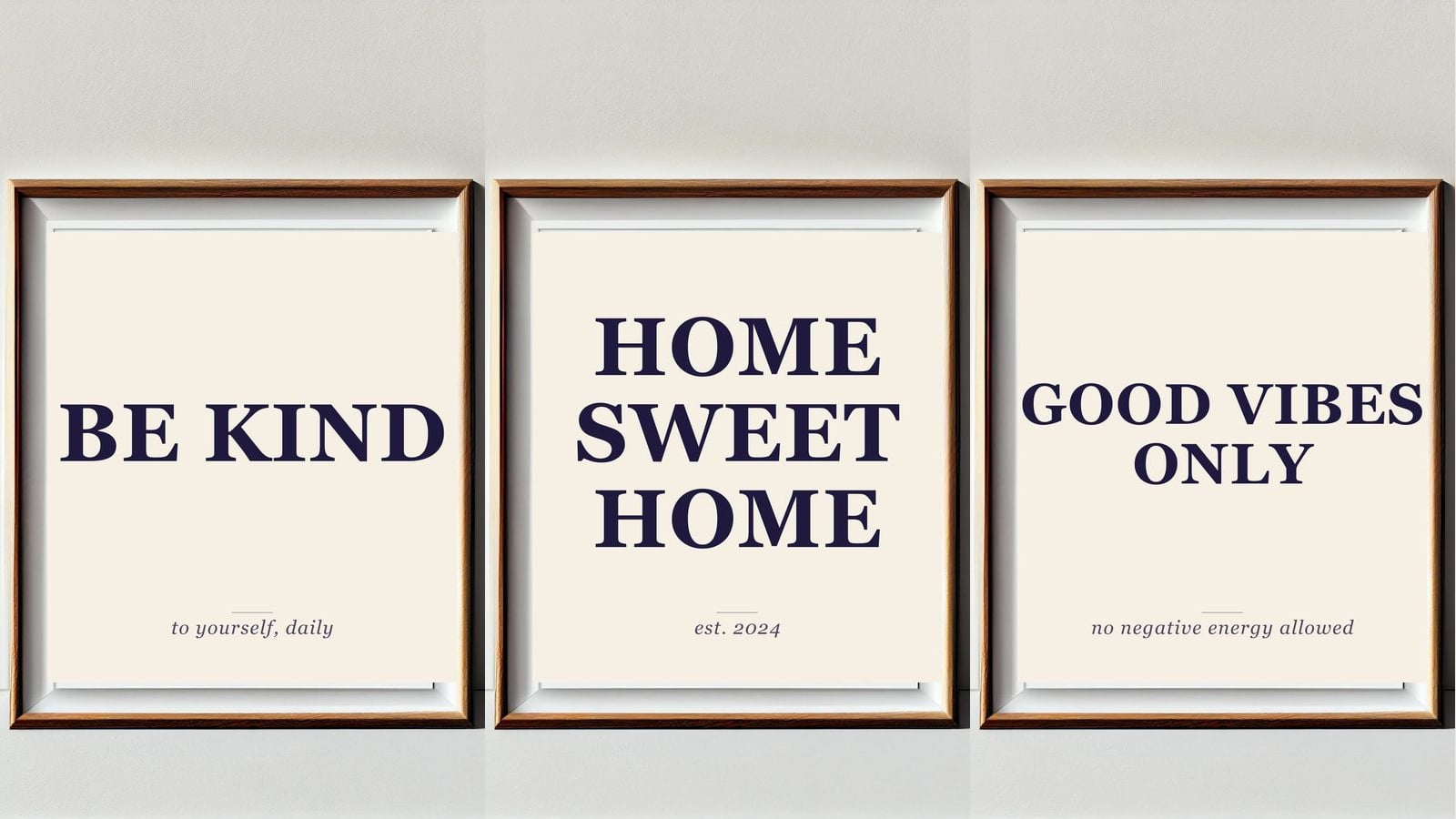
If you run a quote-print Etsy shop, every new drop is the same chore: drag your design into a frame mockup, retype the listing subtitle, export, repeat 20 or 40 times. The CSV tab in Mockups Generator does the whole batch in one run: one PSD + one spreadsheet = one folder of finished listing images, ready to upload.
This walk-through builds five Etsy product images from one oak-frame PSD and a five-row CSV. Each row swaps the artwork inside the frame and rewrites a short description below it.
When to reach for CSV mode
The CSV tab is the right tool when each row is a complete product with its own image and text. Quote prints, POD apparel with size labels, frame mockups with caption text, regional product variants. Anywhere a spreadsheet already describes what you want to make.
If you just want every design in every template (cartesian), use the Home tab instead. CSV mode is built for the rows-as-products case.
What you'll need
Three things on disk:
- A template PSD with a smartobject for the artwork and a text layer for the description.
- A folder of artwork files (PNG, JPG, anything Photoshop opens).
- A CSV where the first column names the PSD template and the rest of the columns map to layer names.
For this tutorial we start with a plain oak frame and five typographic quote artworks.
The frame mockup PSD

Open the empty frame in Photoshop and set up two layers inside the print area:
- A smartobject named
design, sized to the print area (roughly 1200 x 1320 px for this frame). - A text layer named
description, centered in the lower third of the print.
Save as frame-mockup.psd in your Mockups folder. Layer names matter: the panel matches them against your CSV columns.
The artwork files
These five PNGs go into your Designs folder. Each is a self-contained quote print, sized to the frame's smartobject:
| File | Quote |
|---|---|
be-kind.png | BE KIND |
stay-wild.png | STAY WILD |
home-sweet.png | HOME SWEET HOME |
grow-through.png | GROW THROUGH IT |
good-vibes.png | GOOD VIBES ONLY |
The headline is baked into the artwork. The italic line at the bottom of each finished mockup comes from the text layer the panel rewrites per row.
The CSV
Open Google Sheets (or Excel, or Numbers) and create this:
| template | design | description |
|---|---|---|
| frame-mockup.psd | be-kind.png | to yourself, daily |
| frame-mockup.psd | stay-wild.png | moon child |
| frame-mockup.psd | home-sweet.png | est. 2024 |
| frame-mockup.psd | grow-through.png | what you go through |
| frame-mockup.psd | good-vibes.png | no negative energy allowed |
Save as etsy-batch.csv.
How the columns map:
- Column 1 (
template) is special. The panel looks for a file with this name in your Mockups folder and opens it for the row. - Every other column is a layer name in the PSD. Text layers get the column's value as new text. Smartobjects get an image file (looked up in your Designs folder).
So design → the design smartobject. description → the description text layer. Add a signature column and you add a signature layer. One column per layer.
Run it through the panel
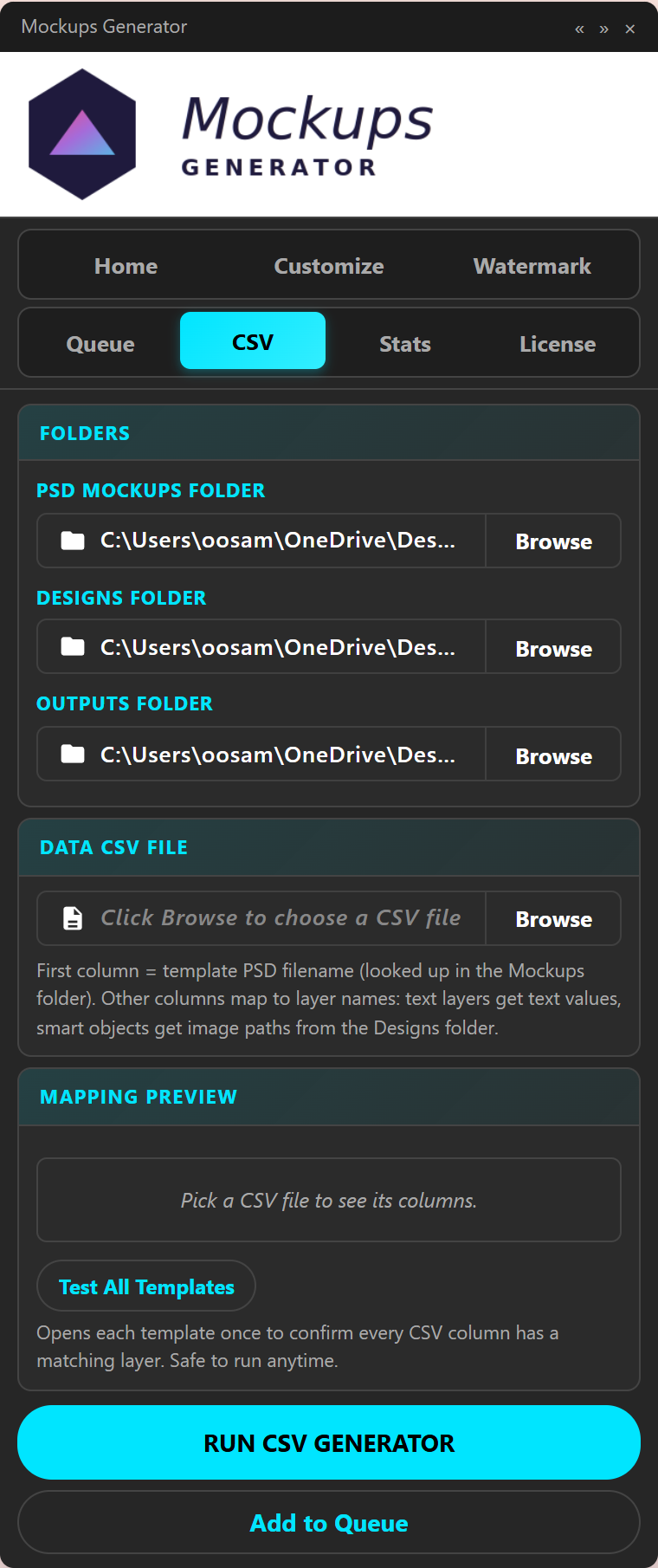
Open Photoshop, load Mockups Generator, click the CSV tab.
- Pick your PSD Mockups Folder (the one with
frame-mockup.psd). - Pick your Designs Folder (the one with the five quote PNGs).
- Pick an Outputs Folder.
- Click Browse under Data CSV File and choose
etsy-batch.csv.
The Mapping Preview panel reads the header row and shows you every column with its target layer. Anything that doesn't match a layer in the PSD shows up red. Hit Test All Templates once before a real run: it opens each unique PSD listed in the CSV, verifies every column has a matching layer, and reports anything missing before you commit to the full batch.
When the mapping looks clean, click RUN CSV GENERATOR. The panel walks the rows:
- Open the PSD named in column 1.
- Replace the
designsmartobject with the row's artwork file. - Rewrite the
descriptiontext layer with the row's text. - Flatten and export to every output format you have enabled.
- Close, move to the next row.
For five rows on a typical machine, the whole batch finishes in 30 to 90 seconds.
The output
Here is what lands in your Outputs folder:
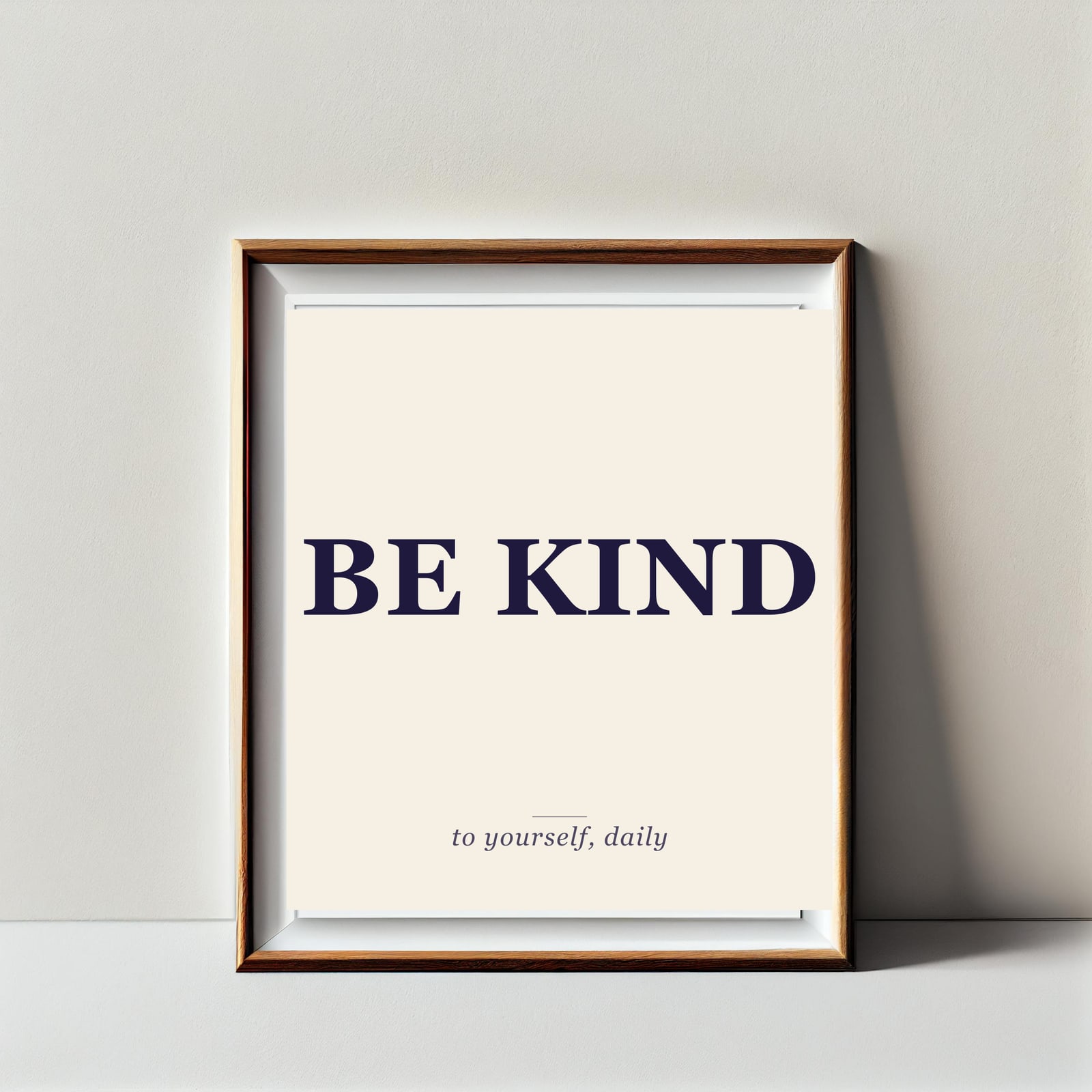
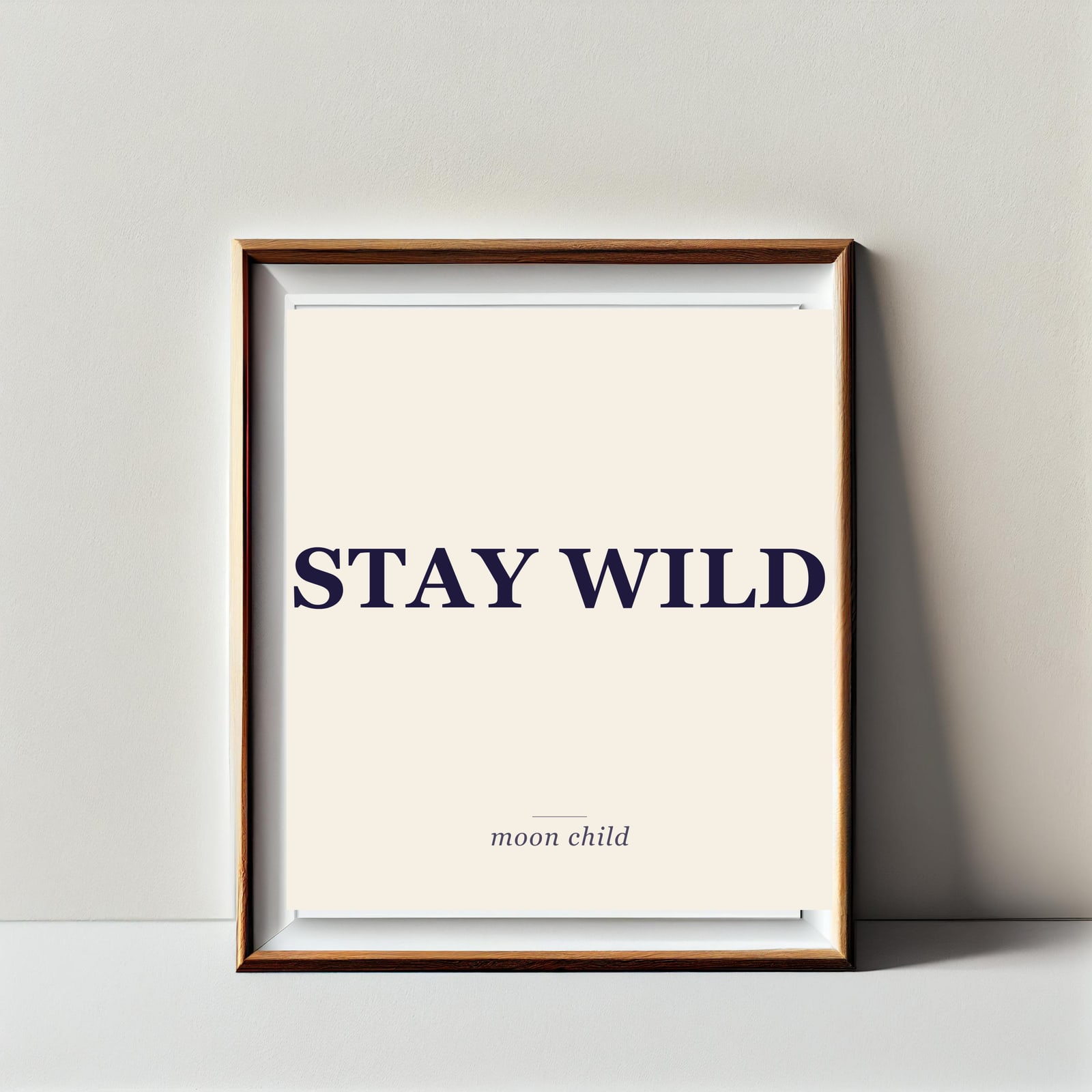
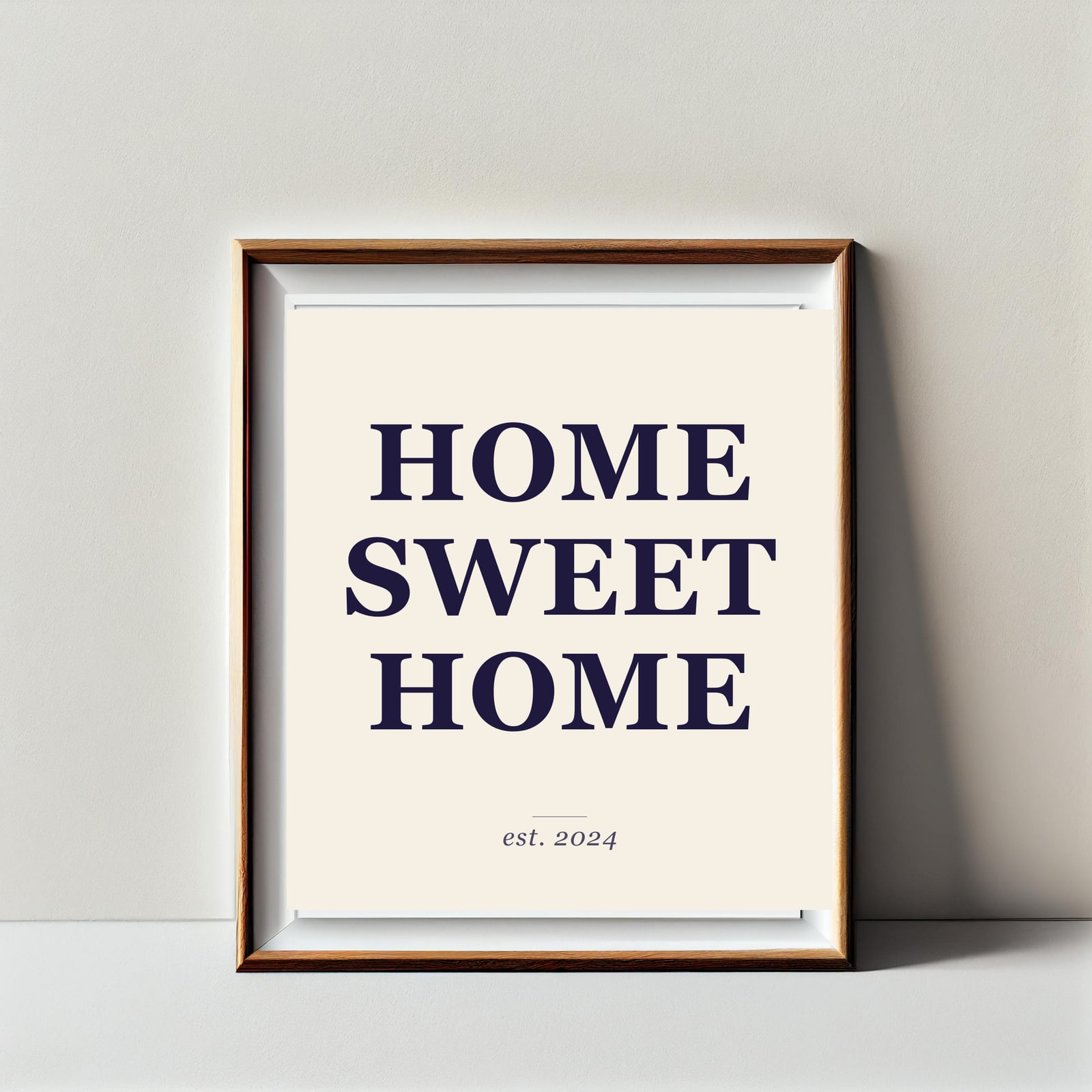
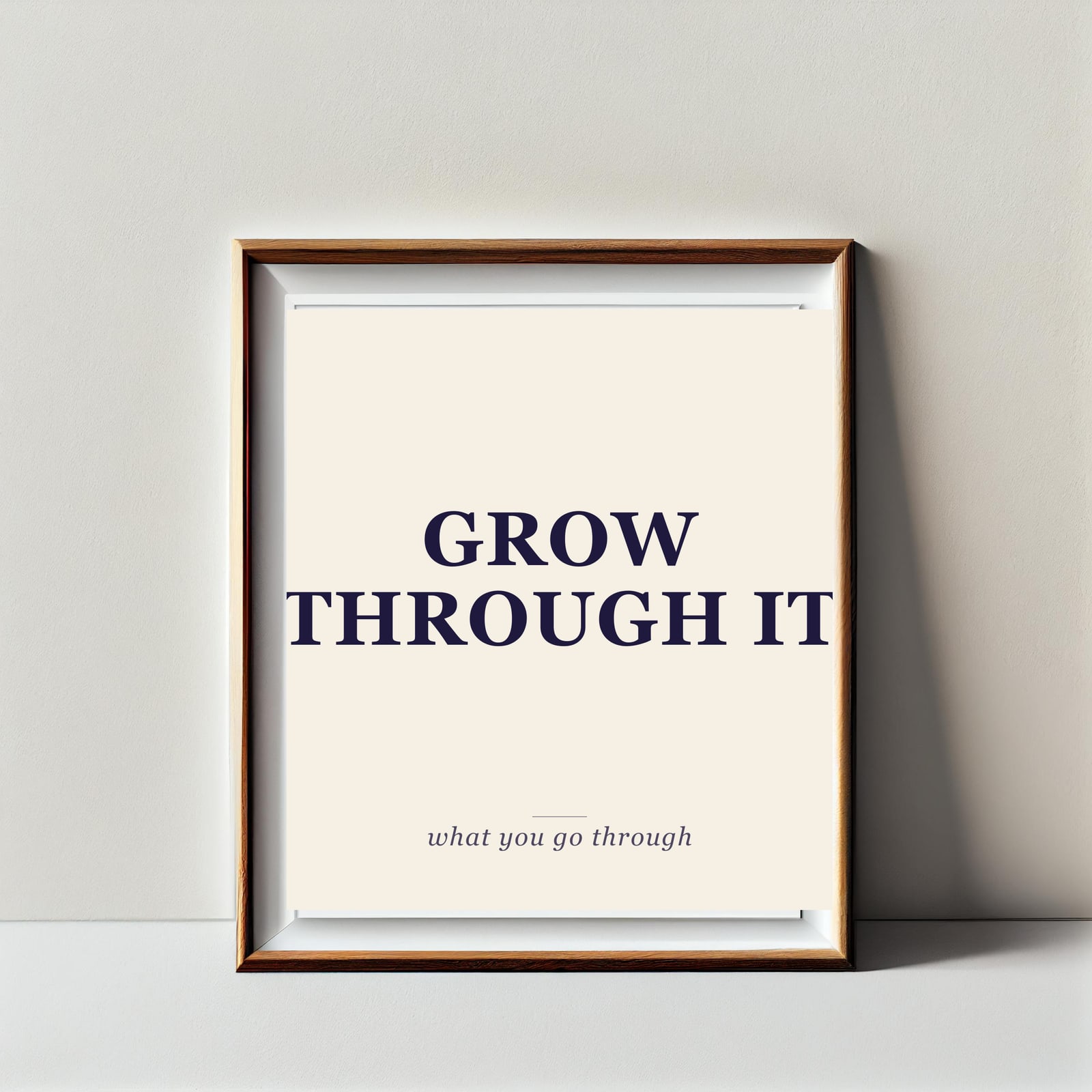
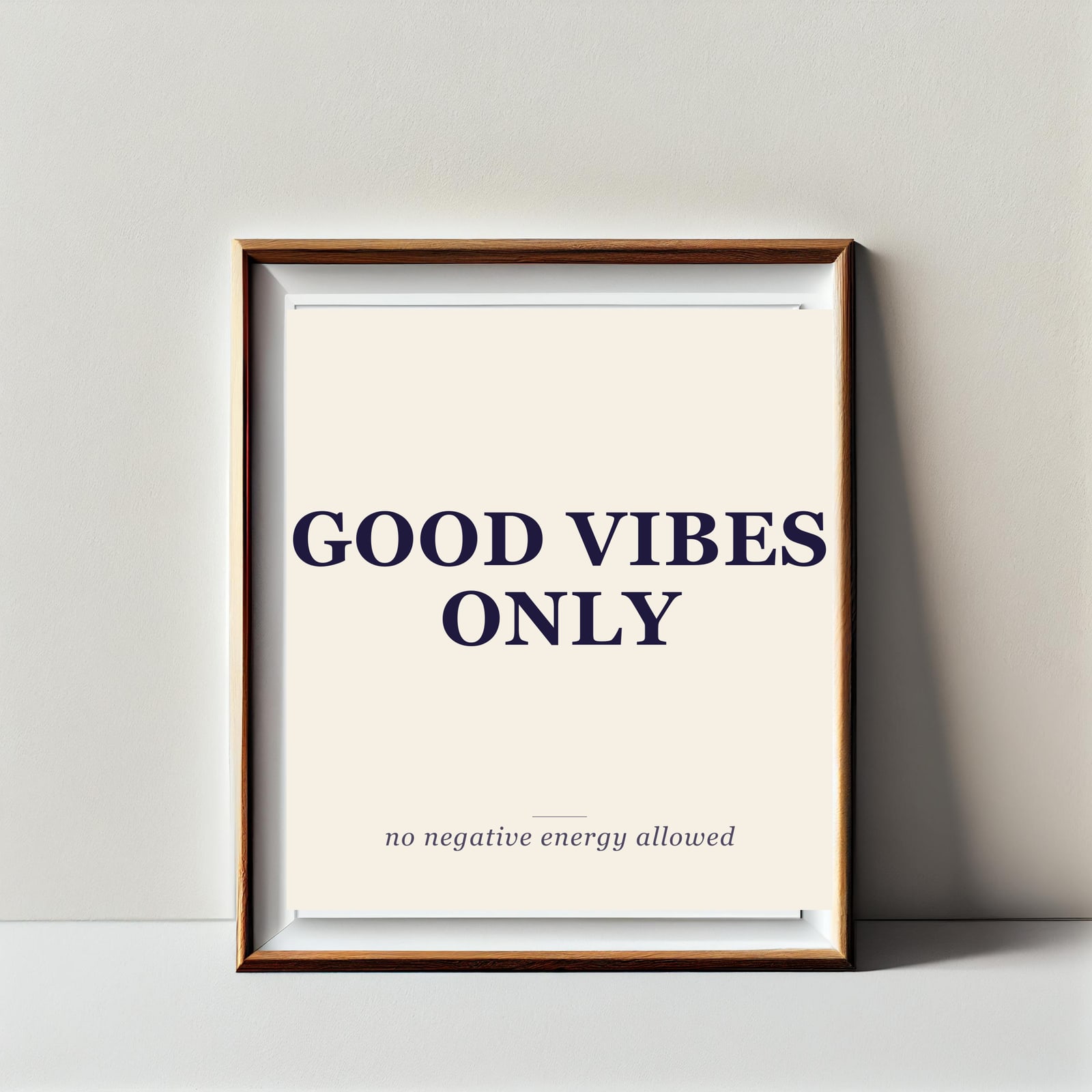
Five Etsy-ready listing images. The frame photo, the lighting, the angle, the wall texture are all identical because the PSD never changed. Only the smartobject contents and the description text moved row to row.
Tips for production batches
A few things that bite the first time and then never bite again.
- Quote text with commas. Wrap the cell in double quotes in the CSV:
"to yourself, daily". Spreadsheets do this automatically on export. - Filename tokens. Combine columns in your output naming to keep batches searchable.
{design}_{description}_listing.jpgproducesbe-kind_to-yourself-daily_listing.jpg. Set this on the Customize tab and the CSV inherits it. - Validate before you commit. Test All Templates takes seconds and surfaces every typo in your layer names. A 200-row batch with a misspelled column is a long way to discover the typo otherwise.
- Mix more layers. A POD tee mockup might have
color(smartobject for the garment swatch),design(smartobject for the print), andsize_label(text layer). The CSV scales to as many layer columns as your PSD has. - One CSV, many templates. If your batch uses different PSDs (tee in row 1, mug in row 2, tote in row 3), put each template's filename in column 1. The panel switches PSDs row by row.
Beyond quote prints
The same shape applies anywhere a spreadsheet already drives your catalog:
- POD apparel runs. Garment color smartobject + design smartobject + size text per row.
- Wedding suite mockups. Couple's names + date as text layers, monogram as a smartobject.
- Holiday drops. One frame PSD, 30 rows for 30 ornament designs.
- A/B headline tests. Same product, same image, twelve rows with twelve headline variants.
Anywhere the row is the product, CSV mode is faster than the Home tab.
Ready to try?
Get the panel. Free tier ships 150 mockups a month, enough to run a full Etsy drop on day one.
Continue with Photoshop mockup automation
Browse all Photoshop tutorials, explore the Photoshop bulk mockup generator, or try 150 lifetime generations free.